Fleet reports and analytics, generated and scheduled.

Mileage, IFTA by state, idle time, speeding violations, geofence activity and fuel expense — built from the data the trackers have been recording all along, then scheduled and exported without anyone assembling a spreadsheet.

  • Six report types
  • Schedule and export
  • Tax-ready IFTA mileage by state
app.motowatchdog.com
Reports screen in the Moto Watchdog web dashboard showing report types and the list of generated reports

Generate, schedule and export fleet data.

Reports & Analytics

The spreadsheet nobody has to build.

Everything here is derived from trips, alerts and diagnostics already recorded — no extra input, no manual logs.

Report types

Six reports, any device, any period.

Trip summary for routes, distance and time. Mileage · IFTA, tax-ready by state. Idle time for engine-on but not moving. Speeding for over-threshold events. Geofence for entry and exit activity. Fuel expense by period. Each runs against any device over any date range.

  • Trip summary — routes, distance, time
  • Mileage
  • IFTA — tax-ready by state
  • Idle time — engine on, not moving
  • Speeding, geofence activity and fuel expense
app.motowatchdog.com
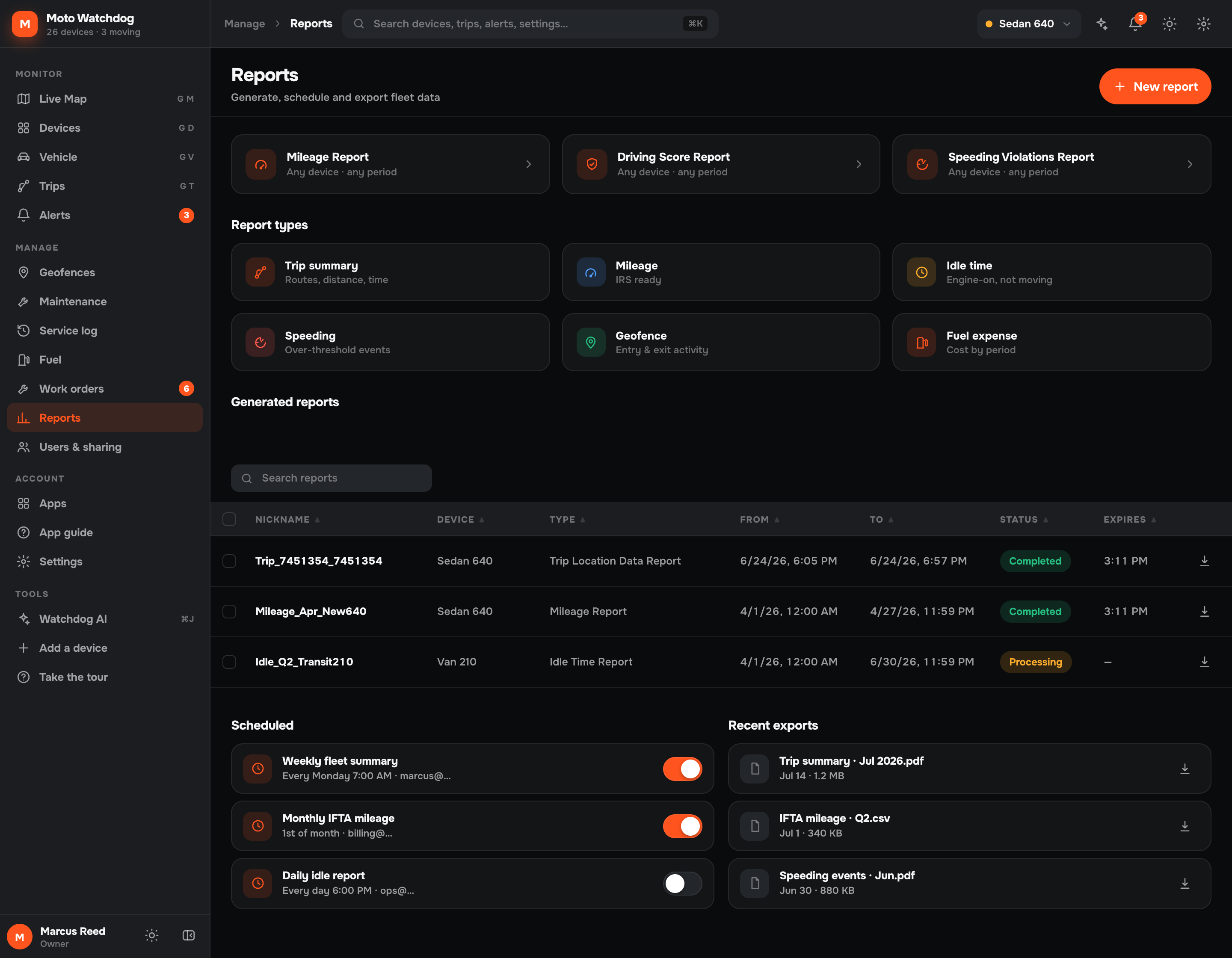
Report types in the Moto Watchdog web dashboard: trip summary, mileage IFTA, idle time, speeding, geofence and fuel expense
The source

Built from trips already recorded.

Reports are not a separate data-entry exercise. They read the trips, alerts and diagnostics the trackers have been logging automatically, which is why a mileage report for last quarter takes seconds rather than an afternoon.

  • Reads existing trip and alert data
  • No manual logs to maintain
  • Any device, any date range
  • Generated in seconds
app.motowatchdog.com
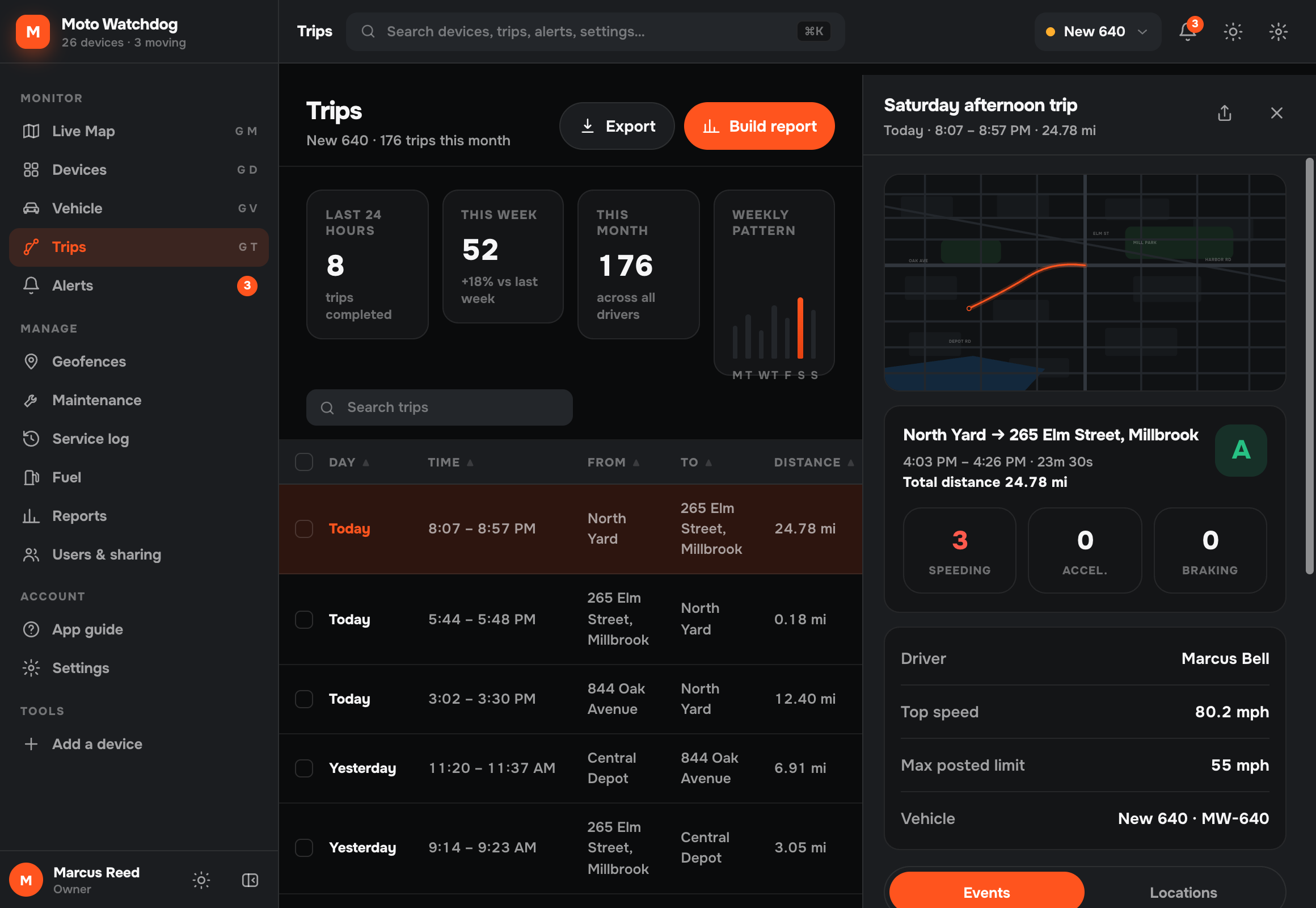
Trips screen in the Moto Watchdog web dashboard showing the recorded trip data that feeds reports
Delivery

Schedule it once and stop thinking about it.

Reports can be generated on demand or scheduled to run on their own, then exported and shared with whoever needs them — an accountant, a client, a compliance officer — without giving them access to the whole account.

  • Generate on demand or on a schedule
  • Export and share the output
  • Share without full account access
  • Status tracked per generated report
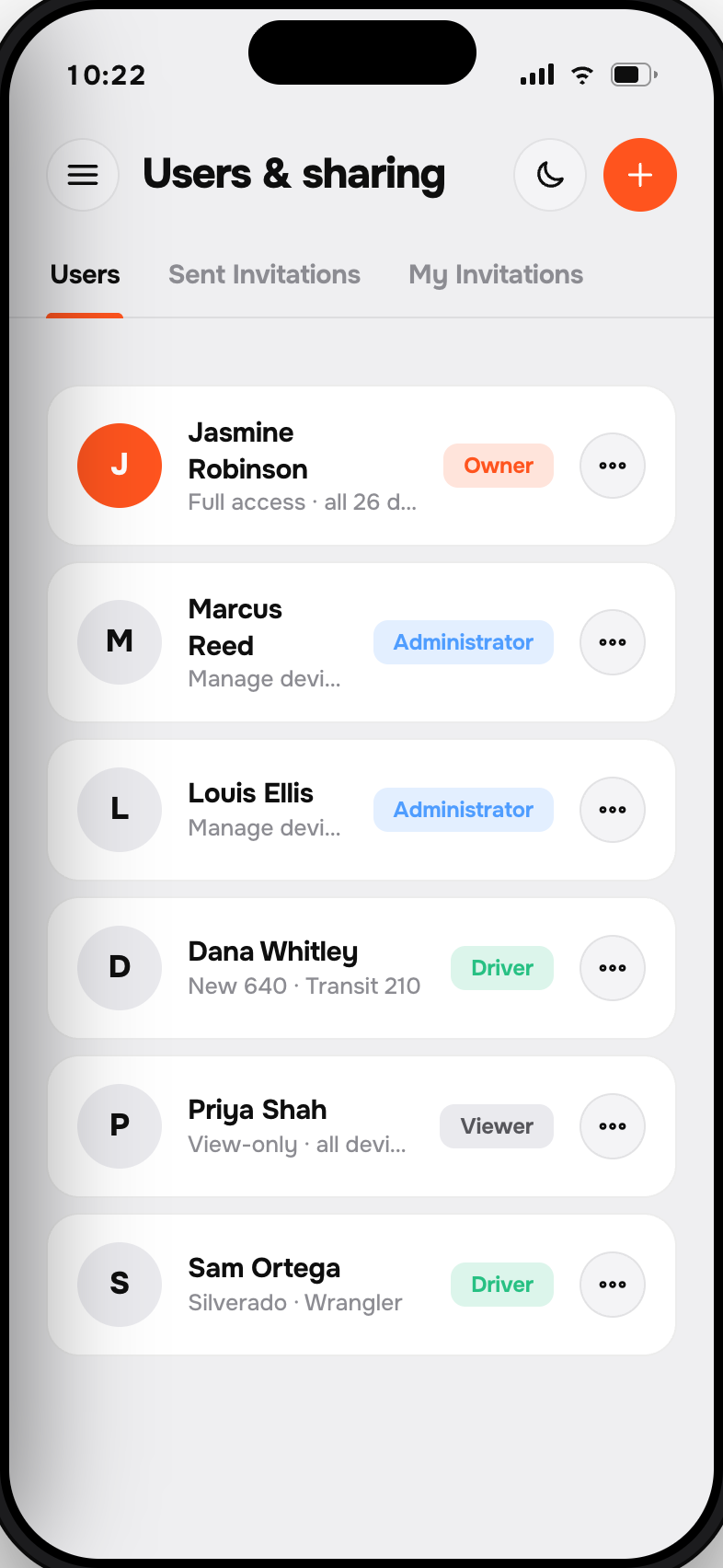
Users and sharing screen in the Moto Watchdog app showing roles that control who can access reports
One purchase. Lifetime data. No monthly fees.

That’s the whole pricing page.

Every other tracker bills you $10–$25 a month, forever, for the features above. We charge once. Move the sliders and see what the difference is worth over the life of the device.

Lifetime cost
device + monthly fees, vs. one-time
Live · interactive
$99
$15/mo
5 years
Their total
$999
Moto Watchdog
$129
You save
$850
Get a tracker — keep the difference
Cost over 5 years
Subscription tracker · $99 + $15/mo $999
Moto Watchdog · one-time $129
Cheaper than the alternative from month 4.
FAQ

Questions, answered.

Still curious? Email support@motowatchdog.com — a real US-based human responds, usually within an hour during business hours.

What reports are available?

Trip summary, mileage with IFTA by state, idle time, speeding violations, geofence entry and exit activity, and fuel expense — each over any device and any period.

Is the mileage report IFTA-ready?

Yes. Mileage is broken down by state so it can be used for IFTA filing, drawn from trip data recorded automatically by the tracker.

Can reports run automatically?

Yes. Reports can be generated on demand or scheduled, with the status of each generated report tracked in the list.

Can I export the data?

Yes. Reports export for sharing, and the underlying device, trip and alert data all export to CSV.

Do reports cost extra?

No. Every report type is included for the life of the device. There is no analytics add-on.

One purchase. Lifetime tracking.

Stop renting peace of mind.

From $129. 30-day money-back guarantee. 30-day returns. Real US-based humans on support.