Driver alerts that reach your phone in seconds.

Harsh driving, geofence crossings, engine on and off, every trip start and stop — pushed the moment it happens. Filter thousands of events down to the handful you care about.

  • Push, in seconds
  • Filter by type and vehicle
  • Full history kept, not just the last few
Alerts screen in the Moto Watchdog app with filter chips for engine, geofence, trips and driving events

2,061 events logged. Three that need you today.

Driver Alerts

Every event, then a way to ignore most of them.

An alert system that only shouts is useless. This one keeps everything and lets you filter to what matters.

On the web

Thousands of events, filtered in one click.

A busy account generates thousands of events — 1,398 engine events, 412 trip events, 187 driving events, 64 geofence crossings. The filter chips cut straight to a category, and the detail panel opens the event on the map without leaving the list.

  • Filter by engine, geofence, trips or driving
  • Search across every alert
  • Mark all read in one action
  • Open any alert on the map
app.motowatchdog.com
Alerts screen in the Moto Watchdog web dashboard showing the filtered alert list and the alert detail panel
Speed

Set the threshold. Get told when it breaks.

Pick the speed that counts as too fast for each vehicle and the tracker watches it for you. The alert records where it happened and how fast, so the conversation afterwards is about a fact rather than a feeling.

  • Per-vehicle speed threshold
  • Alert records speed and location
  • Every violation kept in history
  • Feeds the speeding report
Speed alert settings in the Moto Watchdog app showing the speed threshold for a vehicle
Engine and trips

Know when the engine starts.

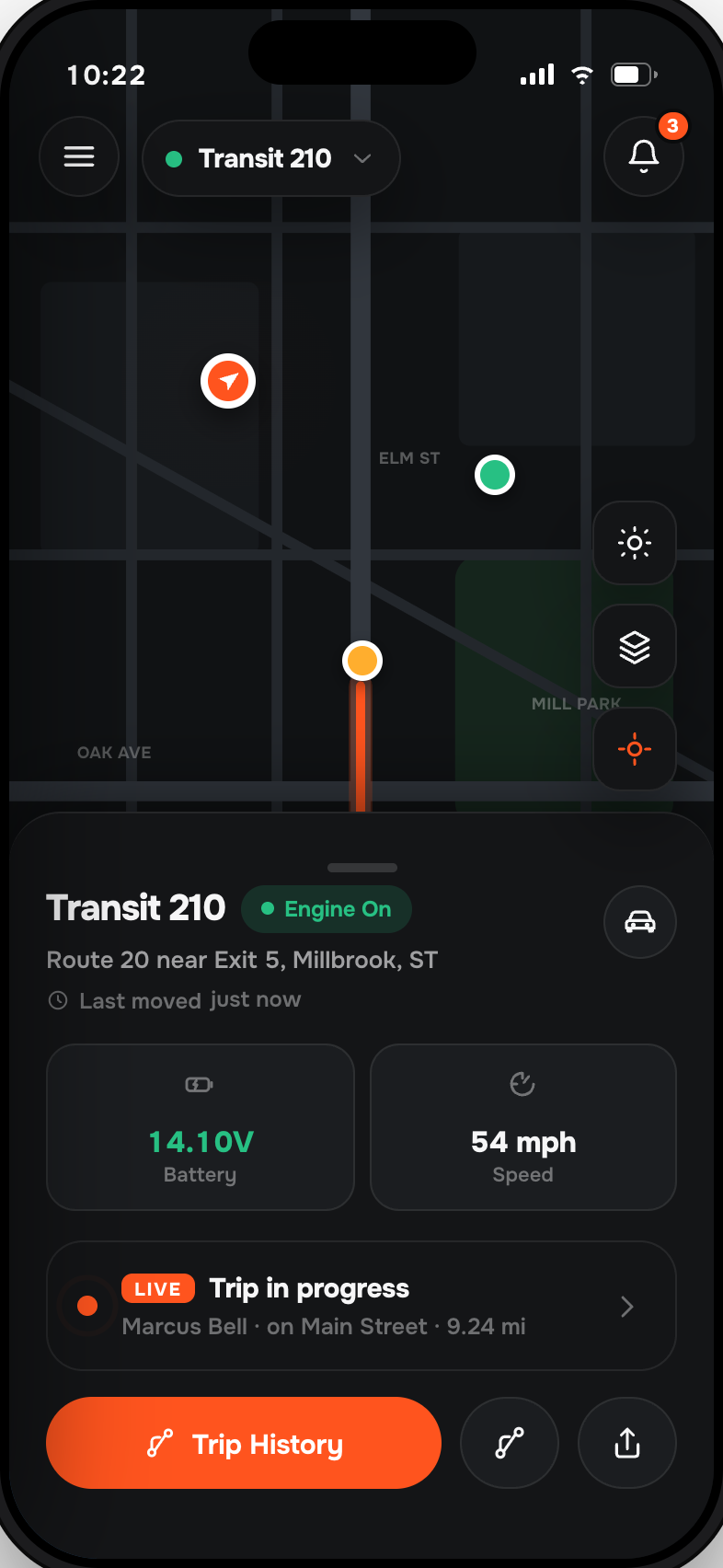
Engine on, engine off, trip started, trip ended. On a vehicle that should be parked, an engine-on alert at 2am is the one notification that matters more than everything else on this page.

  • Engine on and off
  • Trip start and trip end
  • Harsh acceleration and braking
  • Arrives within seconds of the event
Moto Watchdog app showing a trip in progress with the engine on for a tracked vehicle
One purchase. Lifetime data. No monthly fees.

That’s the whole pricing page.

Every other tracker bills you $10–$25 a month, forever, for the features above. We charge once. Move the sliders and see what the difference is worth over the life of the device.

Lifetime cost
device + monthly fees, vs. one-time
Live · interactive
$99
$15/mo
5 years
Their total
$999
Moto Watchdog
$129
You save
$850
Get a tracker — keep the difference
Cost over 5 years
Subscription tracker · $99 + $15/mo $999
Moto Watchdog · one-time $129
Cheaper than the alternative from month 4.
FAQ

Questions, answered.

Still curious? Email support@motowatchdog.com — a real US-based human responds, usually within an hour during business hours.

How quickly do alerts arrive?

Within seconds of the tracker reporting the event. Geofence and speed events are detected on the next position report, which is roughly every 30 seconds while the vehicle is moving.

What kinds of alerts are there?

Engine on and off, trip start and end, geofence entry and exit, speeding over a threshold you set, and harsh driving events such as heavy braking and acceleration.

Can I turn some alerts off?

Yes. Alert types are configurable per vehicle, so a work van can be noisy and a personal car quiet, on the same account.

Do all users get the same alerts?

Each user has their own notification settings, so one person can watch everything while another only gets geofence crossings.

Is there a limit on how many alerts I get?

No. There is no cap and no charge per alert — accounts routinely hold thousands of events with the full history kept.

One purchase. Lifetime tracking.

Stop renting peace of mind.

From $129. 30-day money-back guarantee. 30-day returns. Real US-based humans on support.